What is Bates Numbering?
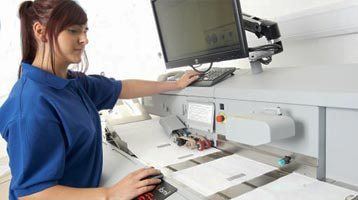
Bates numbering is a method of indexing documents, typically in legal or business contexts, by assigning unique, sequential identifiers (numbers, sometimes with prefixes or suffixes) to each page or document. This system, originally developed by Edwin G. Bates for use with a manual stamp, helps organize and reference large volumes of documents during processes like litigation, audits, or discovery. It ensures easy tracking, retrieval, and citation of specific pages across all parties involved, often in formats like “ABC0001” or “001.” Modern Bates numbering is usually applied digitally through software, embedding identifiers directly into electronic documents or scanned images.
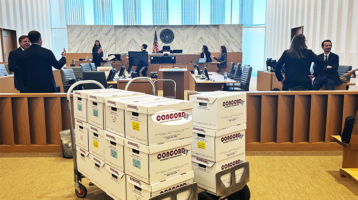
Although it depends on the type of ediscovery review platform you have, adding Bates numbers to your documents is essential. With CONCORD, you can add Bates numbers on upload, during export or production, or during review, however some platforms require you to add Bates numbers at the time of upload.
Once you’ve selected the appropriate documents and uploaded them to your ediscovery platform you can then go about assigning them Bates numbers. This is typically an automated process.
- Choose Software or Tools:
- Choose a Vendor: Use a qualified vendor like CONCORD. Simply Zip your folder(s) and contact a Concord rep for an upload link. Projects typically completed by next business day.
- Dedicated Software: Use tools like Nuance Power PDF, or legal-specific platforms (e.g., Relativity, Concordance, or CaseMap) that support Bates numbering.
- Free Tools: For basic needs, software like PDF-XChange Editor or online services like Smallpdf (with limitations) can work.
- Custom Scripts: For advanced users, Python libraries like PyPDF2 or JavaScript in Node.js can automate numbering for large batches.
- Prepare Files:
- Organize Files: Gather all electronic files (e.g., PDFs, Word documents, emails) in a single folder or database. Ensure they’re in the correct order.
- Convert Formats: Convert non-PDF files (e.g., Word, Excel) to PDF for consistency, as most Bates numbering tools work best with PDFs.
- Set Up Bates Numbering:
- Define Format: Decide on the Bates number structure (e.g., PREFIX000001, CASE001, or 0001). Include prefixes for case or client names if needed.
- Placement: Choose where the number appears (e.g., header, footer, or margin) and ensure it’s legible without obscuring content.
- Numbering Options: Configure starting numbers, increments (usually 1), and whether to include leading zeros (e.g., 0001 vs. 1).
- Apply Bates Numbers:
- In Adobe Acrobat Pro:
- Open the PDF or combine multiple files into one PDF.
- Go to Tools > Edit PDF > Header & Footer > Add or Bates Numbering (in the “Organize” menu for some versions).
- Enter the prefix, starting number, and placement settings.
- Apply to all pages or a range of pages.
- In Legal Software: Import files into platforms like Relativity, set up a Bates numbering template, and run the process across documents.
- Batch Processing: For large volumes, use software that supports batch processing to apply numbers to multiple files simultaneously.
- In Adobe Acrobat Pro:
- Review and Verify:
- Check that numbers are sequential, correctly formatted, and properly aligned.
- Ensure no pages are skipped or duplicated.
- Test readability on different devices or when printed.
- Save and Share:
- Save files with Bates numbers embedded (preferably as new files to preserve originals).
- Use secure file-sharing methods (e.g., encrypted cloud storage) to distribute, especially for legal cases.
- Maintain a log or index mapping Bates numbers to documents for reference.
- Tips for Efficiency:
- OCR First: If files aren’t text-searchable, run Optical Character Recognition (OCR) before numbering to ensure searchability.
- Automate: Use scripts or macros for repetitive tasks, especially with large datasets.
- Backup: Always keep unnumbered originals in case you need to reprocess.
- Consistency: Standardize naming conventions across all files for clarity.
If you’re handling sensitive legal documents, consult with your firm’s e-discovery team or use specialized software to meet court requirements. For specific tools or workflows, let me know your setup, and I can tailor the steps further! Contact Hector or Fernando at CONCORD 213-745-3175, cs@concorddt.com .

To get a free Consultation or Early Case Assessment, contact us: