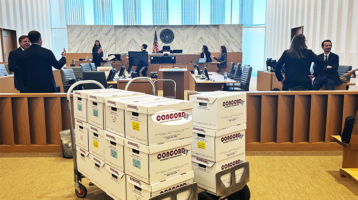
A banker box labeled “Attorney Work Product” is not protected simply because the label survives the scan. When legal teams scan privileged documents, the process can create copies, broaden access, introduce metadata, and place sensitive material into a review population. Each step must be controlled so the production record supports, rather than complicates, the privilege analysis.
For high-stakes litigation, investigations, and regulatory matters, scanning is more than a conversion task. It is a custody, security, quality-control, and downstream discovery issue. The right workflow preserves the source record, limits exposure, captures usable text, and gives counsel the information needed to make defensible decisions.
Why Privileged Scanning Requires a Different Workflow
Paper files often contain mixed material: legal advice beside business communications, handwritten attorney notes attached to ordinary correspondence, drafts marked for internal review, and documents that may be responsive but withheld. A standard high-volume scan may efficiently create images, but efficiency alone is not the objective when privilege is involved.
The central risk is uncontrolled access. If boxes are collected without a manifest, scanned by personnel without defined authorization, or uploaded to a broadly available repository, the legal team may struggle to establish who saw the information and why. A second risk is misclassification. Separator sheets, handwritten notes, envelopes, attachments, and color coding can carry context that is lost when imaging settings are poorly chosen.
Privilege itself is a legal determination, not a scanning vendor’s determination. Counsel decides what is privileged, protected work product, confidential, responsive, or eligible for production. The scanning team’s job is to preserve the material faithfully, protect it operationally, and deliver it in a form that supports counsel’s review protocol.
Prepare Before You Scan Privileged Documents
A defensible project begins before the first box is opened. Counsel and litigation support should identify the purpose of the scan: early case assessment, internal investigation, document review, production preparation, archive conversion, or trial use. That purpose drives imaging specifications, access restrictions, indexing fields, and retention requirements.
Create a written intake protocol that identifies the matter, source custodian or department, box and folder ranges, chain-of-custody contacts, and handling instructions. For particularly sensitive collections, record the transfer at each handoff and use tamper-evident packaging where appropriate. If the collection includes medical, financial, personnel, government, or trade-secret records, account for the applicable protective order, confidentiality designation, or statutory obligations before transfer.
The intake protocol should also state whether potentially privileged material will be segregated before scanning or scanned into a restricted repository for counsel’s later review. Pre-segregation can reduce exposure when a legal department has already identified privileged files. It can also slow collection and create gaps if personnel make inconsistent decisions. Restricted scanning is often more practical for large, mixed collections, provided access controls are established from the start.
Build Security Into the Production Floor
Sensitive documents should move through a controlled environment, not an open production queue. Access should be limited to assigned personnel, with appropriate confidentiality obligations and supervision. The facility should have documented physical security, secure storage for work in progress, and procedures for handling originals that cannot be replaced.
A reliable scanning workflow typically addresses four operational controls:
- A documented chain of custody from pickup or onsite receipt through return, storage, or authorized destruction.
- Restricted physical access to boxes, folders, preparation areas, scanners, and finished media.
- Role-based digital access to scanned images, OCR text, metadata, and exported load files.
- An incident-escalation procedure for missing pages, damaged originals, misdirected files, or suspected unauthorized access.
Not every matter needs the same level of control. A small outside-counsel file may only require a locked project area and encrypted delivery. A government investigation, merger review, or matter involving highly sensitive personal data may require dedicated personnel, onsite collection, separate processing queues, and more detailed access reporting. The appropriate standard depends on the records, the forum, and counsel’s instructions.
Capture Images That Preserve Legal Context
Scanning settings affect review quality. Poor image capture can obscure handwritten annotations, eliminate color-coded edits, crop marginal notes, or make a stamp unreadable. Those details may determine whether a document belongs in a privilege log, requires redaction, or has evidentiary value at deposition or trial.
Use color scanning when color conveys meaning, particularly for highlighted drafts, colored tabs, handwritten edits, stamps, or exhibits. Select resolution that keeps fine print and handwriting legible without producing unnecessarily large files. For fragile, bound, oversized, or irregular records, specialized capture methods may be needed instead of forcing documents through a high-speed feeder.
Document preparation also deserves scrutiny. Removing staples, repairing torn pages, and unfolding materials are routine tasks, but original order must be preserved. A folder title, binder tab, sticky note, routing slip, or envelope may provide context that should be captured as an image or indexed as metadata. If physical order has potential relevance, document it before reassembly or repackaging.
Use OCR Carefully, Then Validate It
Optical character recognition makes paper records searchable and supports analytics, review platforms, and targeted issue searches. It is useful, but it is not a substitute for the scanned image. OCR accuracy can decline sharply with handwriting, fax quality, faded carbon copies, skewed pages, unusual fonts, stamps, and redactions.
For privileged material, OCR creates a practical trade-off. Better searchability helps counsel locate communications involving lawyers, legal advice, work product, and key custodians. At the same time, searchable text can expand the ease with which a restricted record is accessed. Keep OCR output in the same protected environment as the images and apply the same permissions to both.
Quality control should test completeness, legibility, page order, document boundaries, and indexing accuracy. The level of QC should match the stakes. A sample-based process may be reasonable for a large, lower-risk archive conversion. A high-value set of documents headed directly to review, deposition preparation, or production may justify more intensive validation, including reconciliation against box inventories and page-level checks for defined categories.
Maintain Separation in Review and Production
Once images enter a document review platform, privilege protection depends on more than a password. Establish permissions for attorneys, contract reviewers, experts, vendors, and client representatives based on their role in the matter. Avoid placing privileged material in a workspace that is also used for unrestricted production preparation unless the platform configuration and project protocol clearly maintain separation.
For mixed collections, use clear coding fields and workflows for attorney-client privilege, work product, common-interest issues, confidentiality, redactions, and further review. Consistent coding instructions matter because a privilege log must often reflect information that was captured during review, such as date, author, recipients, document type, and a description sufficient to support the claim without disclosing protected substance.
Be precise about exports. Before releasing documents to opposing counsel, regulators, experts, or co-counsel, validate the production set, image quality, redactions, confidentiality designations, and accompanying metadata. Redactions must be burned into production images or otherwise applied in a manner that prevents extraction of the underlying content. A visual redaction that leaves searchable text behind is not a defensible result.
Know When Onsite Scanning Is the Better Choice
Offsite production offers scale, specialized equipment, and around-the-clock capacity. It is often the sensible choice for large box populations with a clear transfer protocol. Yet some collections should remain at the client location: records subject to facility restrictions, files needed for ongoing business operations, highly sensitive executive or government materials, or records that cannot leave a secure site.
Onsite scanning can reduce transport risk and allow legal teams to resolve questions quickly as folders are encountered. It may be especially useful when a collection requires real-time direction from counsel, immediate access to originals, or strict chain-of-custody documentation. The trade-off is that onsite work depends on available space, secure staging, network access, and the ability to maintain consistent production controls outside a dedicated facility.
Choose a Provider That Understands the Matter
A scanning provider should be evaluated on more than speed and per-page pricing. Ask how originals are tracked, who can access the project, how exceptions are documented, how images and OCR are secured, and how the provider transfers data into attorney review or production workflows. The provider should be prepared to follow a matter-specific protocol rather than force sensitive records into a generic intake process.
For matters that combine paper evidence with email, mobile-device data, and electronically stored information, coordination matters even more. A single workflow can align physical documents, forensic collections, Bates numbering, online review, redaction, and trial exhibit preparation. That reduces handoffs, but only if the service team has disciplined procedures across each stage.
Concord Document Technologies supports sensitive legal document workflows with secure scanning, legal copying, Bates labeling, online attorney review, and trial production capacity. For law firms and agencies handling time-sensitive matters, the practical question is not simply how fast documents can be imaged. It is whether every page can be accounted for, reviewed efficiently, and handled with the care the case demands.
When privilege is at stake, set the protocol before the boxes move. A documented process gives counsel room to focus on legal judgment while the scanning operation protects the records, the timeline, and the integrity of the matter.