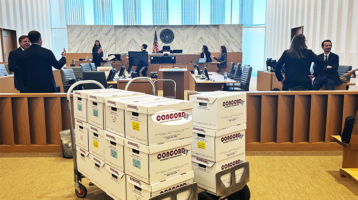
A deposition can lose momentum quickly when an exhibit is missing, misnumbered, unreadable, or inconsistent with the version in counsel’s file. A disciplined deposition exhibit printing checklist prevents avoidable production failures while giving the examining attorney, witness, court reporter, and opposing counsel the same clear record.
For high-stakes matters, exhibit preparation is not a simple print job. It is a controlled litigation-support workflow involving source-file validation, Bates continuity, version control, legibility review, secure handling, and delivery timing. The right process depends on the deposition format, case protocol, protective order, and whether the team will use paper, digital presentation, or both.
Start With the Deposition Protocol
Before releasing any file for production, confirm how exhibits will be marked, exchanged, and used. Some jurisdictions, judges, arbitrators, and opposing counsel require pre-marked exhibits. Others expect the court reporter to apply exhibit stickers at the deposition. A remote deposition may require secure electronic exchange, while an in-person proceeding may still call for organized hard-copy sets at counsel table.
Confirm the deposition date, start time, location or videoconference platform, witness name, attorney taking the deposition, and court reporter contact. These details drive the number of sets, delivery method, labeling approach, and production deadline.
Also identify whether any documents are subject to a confidentiality designation, clawback agreement, protective order, or statutory privacy restriction. A document may be technically ready to print but still require redactions, confidential treatment language, restricted distribution, or a separate sealed set. Treat those decisions as approval gates, not last-minute formatting changes.
Deposition Exhibit Printing Checklist: Validate the Source Files
The first production risk is printing the wrong document. Legal teams often work from rolling productions, revised demonstratives, native-file exports, and PDFs downloaded from review platforms. The production team should receive a final, clearly identified source folder or production set, not a collection of email attachments with uncertain status.
Verify that each intended exhibit has a unique control identifier, such as the proposed exhibit number, document control number, or Bates range. If a file contains multiple documents, confirm whether it should remain a single exhibit or be separated. This is particularly important for email families, spreadsheets with attachments, and document packages that may be cited differently during testimony.
Review the following before printing:
- The approved file list matches counsel’s exhibit log, including document titles, Bates ranges, and proposed exhibit numbers.
- PDFs open correctly and contain all expected pages, including attachments, slip sheets, and continuation pages.
- Color-dependent content, such as tracked changes, charts, photographs, maps, and highlighted communications, remains intelligible in the selected print mode.
- Redactions are permanently applied and visible in the rendered output, not merely covered by a temporary annotation layer.
- Native files converted to PDF preserve formulas, comments, hidden columns, speaker notes, or other content only when counsel has authorized their inclusion.
Do not assume that a PDF’s page count tells the full story. Print or render a representative proof for documents with oversized pages, complex graphics, unusual fonts, embedded media references, or scanned handwriting. A review-platform image may look acceptable on screen but produce a poor paper exhibit if scaling, orientation, or resolution has not been checked.
Confirm Bates Numbers, Exhibit Labels, and Pagination
Bates labeling and exhibit numbering serve different purposes. Bates numbers identify produced documents; exhibit numbers identify what is marked during testimony. The two should be reconciled, but they should not be confused.
Confirm that Bates ranges are complete, sequential, and consistent with the production record. If a document has been re-produced or corrected, ensure the version selected for the deposition is the version counsel intends to use. A stale copy can create confusion on the record and invite unnecessary disputes over authenticity or completeness.
If exhibits will be pre-marked, verify the placement, format, and sequence of labels. Stickers or electronic labels should not cover substantive text, a signature, a Bates number, or a redaction. For multi-page exhibits, decide whether the exhibit label appears only on the first page or on every page based on the team’s protocol.
Pagination also requires a deliberate choice. Most exhibit sets should retain native Bates pagination. When supplemental pagination is needed for a binder or witness packet, use it carefully and make sure it does not obscure existing control numbers. The goal is fast navigation without creating competing page references during the examination.
Build the Right Number of Sets
The correct quantity depends on who will need a usable copy at the deposition. At minimum, consider the examining attorney, defending attorney, witness, court reporter, videographer, interpreter, and an office or war-room backup set. Remote or hybrid proceedings may reduce paper quantities, but they can increase the need for controlled electronic distribution and a ready-to-print contingency set.
Each set should be identical in content and order. A single missing page in one copy can interrupt the proceeding and raise questions about whether everyone is viewing the same document. For lengthy depositions, teams often benefit from an attorney working set arranged for quick reference and separately prepared witness or reporter sets that follow the agreed protocol.
Binders are useful for large, fixed exhibit collections, particularly when documents must be accessed in a planned sequence. However, binders are less flexible when counsel expects to add exhibits throughout the day. For rolling or anticipated impeachment materials, labeled folders, numbered tabs, and a secure reserve set may be more practical. It depends on the examination strategy, not just page volume.
Make Print Specifications Intentional
Print choices affect usability. Default settings can produce clipped spreadsheet columns, grayscale photographs that lose evidentiary value, or duplex pages that make on-the-record review awkward. Establish specifications before production begins.
Determine whether documents should be printed single-sided or duplex, in color or black and white, and at actual size or fit-to-page. Single-sided copies can be easier for witnesses and court reporters to handle, while duplex printing can reduce binder thickness and shipping weight. Color should be preserved where it carries meaning, but it is not always necessary for routine text documents.
Use tabs that are readable and durable, with exhibit numbers that match the master log. For oversized plans, financial schedules, or medical imaging, decide whether to produce full-size originals, reduced copies, foldouts, or both. A reduced version may be convenient, but it is not suitable if the witness cannot read key detail without magnification.
Quality control should include a physical review of the finished product. Check page order, hole punches, tab placement, binding integrity, image clarity, and whether pages turn cleanly. If documents were scanned from originals, inspect for skew, cutoff margins, faint handwriting, and blank backs that may be meaningful in context.
Protect Confidentiality and Chain of Custody
Deposition exhibits frequently contain personnel records, financial data, health information, trade secrets, privileged material, or sensitive investigative records. Production controls should reflect that risk. Limit access to approved personnel, use secure file transfer and storage practices, and keep a written record of who approved the final set.
For confidential exhibits, label outer packaging and binders according to the applicable protective order. Avoid leaving completed sets unattended in lobbies, conference rooms, mailrooms, or unsecured vehicles. If shipping is required, use trackable delivery, confirm the receiving contact, and plan for signature or direct handoff when appropriate.
Maintain a production log recording the final source set, date and time of production, quantities, special instructions, delivery method, and any deviations approved by counsel. This record is useful when questions arise later about what was delivered or which version was used.
Plan Delivery Around the Deposition, Not the Deadline
A stated deadline is not the same as a safe production window. Build time for attorney approval, corrections, reprints, traffic, courthouse security, courier delays, and a final set-up check. If the deposition begins at 9:00 a.m., delivery at 8:55 a.m. is not a workable plan.
For matters in Los Angeles, teams preparing for depositions near Stanley Mosk Courthouse, First Street Federal Courthouse, or a private reporting location should account for building access, parking, security screening, and the time required to get materials into the room. Overnight shipment may be appropriate for out-of-market proceedings, but a local, time-definite courier option can provide more control for critical next-day needs.
Concord Document Technologies supports legal teams with secure scanning, legal copying, Bates labeling, exhibit binders, digital printing, and time-sensitive delivery when the record must be ready without compromise. The most valuable vendor relationship is one that can identify a production issue before it reaches the deposition table.
Before counsel leaves for the proceeding, place the master exhibit log, an electronic backup, spare labels, and a contact list with the final materials. That small layer of preparation gives the team options when testimony takes an unexpected turn – and keeps the focus where it belongs: on the witness and the record.