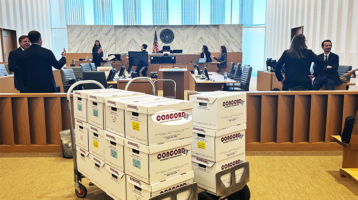
A warehouse box marked “Contracts 2014” can contain the document that decides a motion, changes a deposition outline, or exposes a missing custodian. The problem is not simply getting paper into PDF format. To digitize paper discovery responsibly, legal teams need a controlled process that preserves document relationships, captures usable text, protects confidential information, and moves records into review without losing track of what came from where.
For high-stakes litigation, investigations, and regulatory matters, paper conversion is part of the discovery record. A rushed scan job can create duplicate families, unreadable pages, broken Bates ranges, and avoidable disputes over completeness. A disciplined workflow turns boxes, binders, banker files, and oversize records into searchable evidence that attorneys can actually use.
Why paper discovery requires a legal workflow
General office scanning is designed to reduce storage or share files. Litigation scanning has a different standard. Every document may need to be located months later, tied to its source container, produced with consistent identifiers, and defended if opposing counsel questions the production.
That is why the intake stage matters as much as the scanner. Before imaging begins, the legal team should identify the matter, producing party or custodian, source location, confidentiality requirements, anticipated production format, and any standing order that affects Bates numbering, native files, color treatment, or load-file specifications. If the collection includes original records, handwritten notes, medical charts, personnel files, or regulated data, the handling plan should address access controls and chain of custody from the start.
Paper also carries context that can disappear during conversion. Tab dividers, binder order, sticky notes, folder labels, and staple groupings can show how records were maintained. Sometimes that context is not material. Sometimes it is central to the case. The right approach depends on the claims, the source, and counsel’s preservation obligations.
A defensible process to digitize paper discovery
The most reliable projects follow a sequence that separates evidence handling, image quality, and downstream review. Each stage should be documented well enough that litigation support personnel can answer practical questions quickly: What was received? Who handled it? Was anything removed? Where is the original? Which digital files correspond to which source documents?
Start with intake, inventory, and instructions
Create a box-level or container-level inventory before documents are disassembled. Record unique container IDs, descriptions, source information, date received, and the person transferring custody. Photographing container labels and maintaining a signed transfer log may be appropriate for sensitive collections or matters where provenance is likely to be challenged.
Written instructions should resolve production decisions before production pressure builds. These include whether to scan in color, how to treat blank pages, whether to capture attachments as separate documents or preserve physical groupings, and which fields must be coded. A simple instruction sheet prevents operators from making legal judgment calls in the middle of a large job.
Prepare documents without destroying useful context
Preparation commonly involves removing staples, paper clips, sticky notes, and bindings; repairing torn pages; flattening folds; and separating documents for scanning. It should not become an uncontrolled reorganization exercise.
Use separator sheets or document-level markers when document boundaries are known. Retain folder and tab information through scans, slip sheets, or metadata where relevant. For bound materials, fragile originals, or documents with evidentiary value as physical objects, non-destructive capture may be necessary. A loose-leaf, black-and-white scan may be faster and less expensive, but it is not always the right choice.
Scan for legibility, not just page count
A page that technically scanned but cannot be read is not a useful discovery image. Quality control should check orientation, completeness, skew, cropping, bleed-through, contrast, and image clarity. Color scanning is particularly valuable when color carries meaning, such as highlighted agreements, annotated exhibits, charts, photographs, or color-coded financial records.
Resolution should support the content being captured. Standard business records may scan effectively at 300 dpi, while faint handwriting, engineering drawings, maps, or detailed exhibits may require higher-resolution imaging. Oversize materials need specialized handling so the production does not omit margins, legends, or annotations.
A defensible workflow also includes page counts and exception reporting. If a page cannot be scanned, is damaged, or requires alternate capture, document the exception rather than allowing it to disappear from the collection.
Apply OCR and validate searchable text
Optical character recognition makes scanned paper searchable, but OCR is not a substitute for image review. It can misread handwriting, degraded photocopies, tables, stamps, and unusual fonts. Attorneys should be able to search the collection efficiently, while knowing that the authoritative record remains the image or original document.
Quality checks should test OCR against a representative sample and focus on likely search terms: names, account numbers, contract identifiers, addresses, and key dates. If search accuracy is poor, reprocessing selected documents may be more cost-effective than forcing reviewers to work around bad text. Where documents contain handwritten notes or complex forms, targeted coding may be more valuable than expecting OCR to carry the burden.
Control Bates numbering and production integrity
Bates labels should be applied only after the document set and imaging choices are stable. Renumbering a large production creates unnecessary cost and risk. Establish the prefix, digit length, starting number, placement, and treatment of confidential designations before stamping.
Production quality control should confirm that Bates ranges are continuous, labels are visible and do not obscure content, and document boundaries align with the intended production unit. If records will be loaded into a review platform, validate the image files, OCR text, metadata fields, and load files together. A production is only as reliable as its least compatible component.
Moving scanned records into attorney review
The objective is not a shared drive filled with PDFs. It is a review-ready collection that can be searched, filtered, coded, and produced with confidence.
For smaller matters, organized PDFs with consistent naming and searchable text may be sufficient. For larger matters, attorney review is more efficient when scanned paper is loaded into a platform such as RelativityOne with structured fields for Bates numbers, document dates, custodians, confidentiality status, and issue coding. The right level of processing depends on document volume, expected motion practice, the number of reviewers, and the likelihood of rolling productions.
Physical and electronic discovery should also be managed as one matter where possible. A case may include archived files, email, cloud data, text messages, and mobile-device collections. Separate vendors and disconnected inventories create blind spots. A unified workflow makes it easier to identify duplicates, monitor production status, and explain the collection history across formats.
Common failure points that create avoidable risk
Paper discovery projects usually fail in ordinary ways, not dramatic ones. Boxes arrive without an inventory. Staff scan documents in an order that cannot later be reconstructed. Different batches receive different image settings. A last-minute Bates change breaks a completed load file. No one notices that a handwritten note was scanned backward until a deposition exhibit is needed.
Four controls prevent many of these problems:
- A documented intake and chain-of-custody record for every container and transfer.
- Written imaging, OCR, naming, and Bates instructions approved before volume production begins.
- Page-level and document-level quality control, including an exception process for damaged or unusual material.
- A final validation of images, searchable text, metadata, and production files before delivery or platform loading.
These controls are not bureaucracy. They are the operational discipline that allows counsel to answer questions quickly when deadlines tighten.
When speed matters, capacity matters too
Emergency scanning requests often arise before a hearing, during a government response, or as trial teams finalize exhibits. Fast turnaround is valuable, but speed should not mean guessing at document boundaries or skipping quality checks. The best providers scale labor, equipment, and quality assurance together so an overnight deadline does not become a later remediation project.
This is especially relevant for Southern California matters involving courthouse deadlines, active trial calendars, or distributed legal teams. A provider that can receive paper, scan and Bates it, load it for online attorney review, and produce trial-ready materials reduces handoffs at the point where errors become expensive.
Concord Document Technologies supports this work with secure document scanning, legal copying, Bates labeling, RelativityOne-based review support, and trial exhibit production for document-intensive matters. The practical value is one accountable team across the physical-to-digital workflow, with experienced handling for sensitive records and deadline-driven productions.
The right paper discovery plan gives attorneys something better than a stack of newly created PDFs: a controlled, searchable record that is ready when the next request, deposition, hearing, or production deadline arrives.