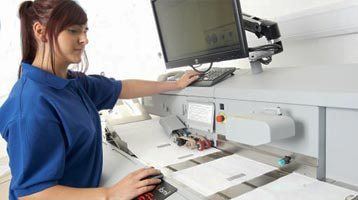
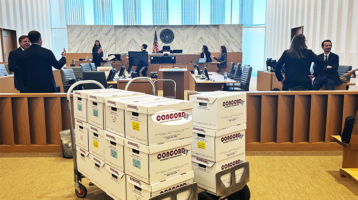
A box of paper can become a litigation risk before the first page is scanned. Mixed custodians, handwritten notes, fragile originals, privileged material, and a court-driven deadline demand more than equipment in a conference room. An effective onsite document scanning workflow gives legal teams control over every handoff while moving critical records into review, production, or trial preparation without unnecessary delay.
For high-stakes matters, scanning is not simply a conversion task. It is a controlled evidence-handling process. The right workflow preserves document order, captures legible images, applies defensible naming and Bates conventions, and creates a clear record of who handled the material and when. That operational discipline matters whether the collection involves ten banker boxes at a local office or a multi-site regulatory response.
What an onsite document scanning workflow must control
The best workflow begins before a scanner arrives. Legal teams should define the objective for the collection: early case assessment, document review, regulatory submission, discovery production, archive conversion, or trial exhibit preparation. The intended use determines image specifications, searchable text requirements, coding fields, file format, Bates ranges, quality-control thresholds, and delivery timing.
A project designed for attorney review, for example, may require searchable PDFs or TIFF images with extracted text and load files for a review platform. A trial-focused project may require color imaging for highlighted records, physical-document tracking, custom exhibit labels, and print-ready files. Treating these as afterthoughts creates rework when the deadline is least forgiving.
1. Scope the collection and establish custody
Before production begins, identify where the records are located, who controls access, and which document populations require separate handling. File rooms, executive offices, warehouses, records departments, and secure government facilities may each have different access rules. Some materials cannot leave the premises. Others may be too sensitive, too voluminous, or too actively used by the business to send offsite.
Create a collection plan that records box counts, folder labels, custodian names, location identifiers, and any known restrictions. Assign unique control numbers to containers and, where appropriate, to individual files. The team should document the initial condition of the records, including damaged bindings, sticky notes, oversized drawings, photographs, or documents that require special preparation.
Chain of custody is not paperwork for its own sake. It provides a defensible account of possession and movement. Each transfer should be logged, from client representative to scanning technician, through quality control, and back to secure storage or return delivery. For privileged, confidential, medical, financial, or personally identifiable information, access should be limited to authorized personnel working under clear security procedures.
2. Prepare documents without losing context
Preparation is where speed can quietly undermine accuracy. Staples, clips, binders, and fasteners need removal before scanning, but the original organization of the file must remain intelligible. A reliable team uses separator sheets, flags, folder-level identifiers, and documented instructions to preserve the relationship between records.
Documents should be inspected for torn pages, foldouts, carbon copies, tabs, colored pages, and mixed paper sizes. Oversized materials and bound volumes often require flatbed or specialty capture rather than high-speed batch scanning. It may be faster to force unusual documents through standard equipment, but it is rarely cheaper once rescans, missing information, or disputes over completeness emerge.
Legal teams should also decide how to handle duplicates, blank pages, and handwritten notes before production starts. Removing clearly blank pages can reduce review volume, but blank pages may have evidentiary significance in certain files. The correct choice depends on the matter and should be documented in the project protocol.
3. Capture images to a defined production standard
Scanning specifications should be established in writing. That includes resolution, color mode, file type, compression settings, naming convention, and whether optical character recognition will be applied. Black-and-white imaging may be appropriate for routine text records, while color is often necessary for annotations, redlining, photographs, highlighted material, and records where the color itself conveys meaning.
Production naming should support downstream use. A file named only by scanner sequence may be workable for a short-term archive, but it creates friction in litigation. Box, folder, custodian, document date, and control-number information can provide needed context when teams are locating documents months later. The goal is not to over-code every page. It is to create a structure that remains reliable when the matter expands.
Bates labeling should be applied only after the legal team confirms the proper prefix, range, placement, and treatment of confidential designations. If documents are likely to be produced, building Bates control into the scanning workflow can prevent a separate production cycle. If a review decision must occur first, provisional control numbers may be the safer choice.
4. Perform quality control at more than one point
A scanned page that exists but cannot be read is not a successful capture. Quality control should verify that every page is present, correctly oriented, legible, and associated with the right document group. It should also catch skipped pages, double feeds, clipped margins, poor contrast, missing foldouts, and barcode or separator-sheet errors.
The strongest workflows use layered checks. Operators review exceptions as documents move through scanning. A separate quality-control process compares scanned output against source materials or established counts. Project leads then validate the final deliverable against the agreed specifications before releasing it to the client or loading it into a review environment.
OCR quality deserves its own attention. Searchable text speeds attorney review and helps teams find names, dates, and key terms, but OCR is imperfect on poor originals, handwriting, faint copies, and complex forms. It should be treated as a review aid, not a replacement for the scanned image. When a disputed word matters, the image remains the authoritative reference.
Building an onsite document scanning workflow around review
Scanning has the greatest value when it connects directly to the next legal task. Once images and text are validated, the files may need to move into an online attorney review platform, a document repository, a production database, or a trial exhibit set. That handoff should be planned from the beginning, not improvised after boxes have been processed.
For review matters, confirm required load-file formats, document-break rules, extracted-text specifications, native-file handling, and metadata fields. Paper records may have limited source metadata, but useful administrative data can still be captured during processing, such as custodian, source location, file title, document date, and confidentiality designation. The level of coding should reflect the value of the records and the budget. Full page-level coding is not always justified; focused folder-level capture may be enough for an early assessment project.
For matters involving both paper and electronically stored information, coordination is essential. A legal team may be collecting email, mobile-device data, shared-drive records, and physical files at the same time. A unified workflow avoids duplicate collection, inconsistent custodians, and disconnected review populations. It also gives counsel a clearer view of what has been preserved, processed, and delivered.
Onsite scanning is especially useful when the documents must remain under client control, when transportation creates risk, or when the collection must begin immediately. It can also be the better option for active offices that need records returned to their shelves each evening. The trade-off is that onsite work requires adequate workspace, secure access, power, network coordination where applicable, and a clear plan for daily staging. A production team can solve those logistics, but the client should identify constraints early.
Common workflow failures that create avoidable risk
Most scanning problems are operational, not technical. The first is unclear instructions: a vendor is told to scan everything, but nobody defines whether files should remain intact, whether color is required, or where the output must go. The second is incomplete tracking: boxes are moved, but no one can confirm which records have been scanned, returned, or held for exception handling.
Another frequent failure is treating quality control as a final spot check. By then, the originals may be refiled, dispersed, or inaccessible. Exception review needs to happen while the source documents are still available. Finally, teams sometimes separate paper scanning from eDiscovery planning, only to discover that the scanned records do not load cleanly into the chosen review system or lack the fields attorneys need to work efficiently.
A disciplined provider brings process, trained personnel, secure handling, and production capacity to the site. For firms and agencies facing a compressed schedule, the right partner should also be prepared to coordinate scanning, legal copying, Bates labeling, digital printing, online review support, and trial exhibit production as one managed engagement. Concord Document Technologies has supported complex legal document operations since 1996, including sensitive collections that require fast execution and accountable handling.
When paper records are central to a dispute, treat the scanning plan as part of case strategy. A well-run onsite operation gives counsel usable information sooner, preserves confidence in the collection, and leaves the team free to focus on the decisions that cannot be delegated.